Opening a bank account used to involve paperwork, long waiting times, and physical visits to a branch. In 2026, things have changed completely. Thanks to neobanks, you can now open a fully functional bank account in just a few minutes using your smartphone.
But even though the process is simple, many users still have questions about how it works, what is required, and how to avoid common mistakes.
In this step-by-step guide, you will learn exactly how to open a neobank account, what documents you need, and how to make sure your account is fully verified and ready to use.
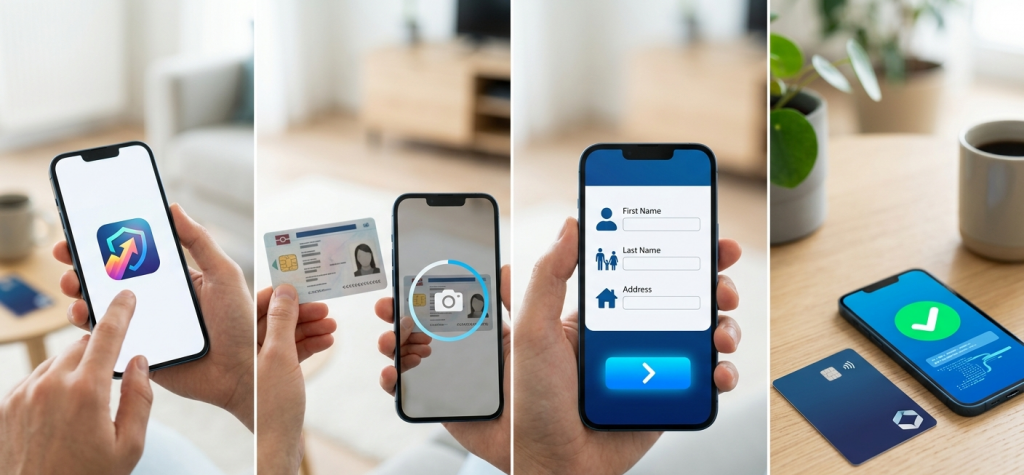
What You Need Before Opening a Neobank Account
Before you start the process, it’s important to prepare a few basic things. Having everything ready will make the process faster and smoother.
Most neobanks require:
A valid ID (passport or national ID card)
A smartphone with a camera
A stable internet connection
A phone number and email address
Some neobanks may also ask for proof of address, depending on your country and regulations.
Step 1: Choose the Right Neobank
The first and most important step is choosing the right neobank for your needs.
Not all neobanks offer the same features. Some focus on international transfers, while others are better for daily spending or business use.
When choosing a neobank, consider:
Fees and pricing
Supported countries
Available features
Security and regulation
User experience
Taking a few minutes to compare options can save you time and money in the long run.
Step 2: Download the Official App
Once you’ve chosen a neobank, go to the official app store on your device and download the app.
Make sure you:
Download from a trusted source
Check reviews and ratings
Verify the developer name
Avoid downloading apps from unofficial websites, as this can pose security risks.
Step 3: Create Your Account
After installing the app, you’ll need to create your account.
This usually involves:
Entering your email address
Creating a secure password
Verifying your phone number
You may receive a verification code via SMS or email to confirm your identity.
Step 4: Enter Your Personal Information
Next, you will be asked to provide some personal details.
These typically include:
Full name
Date of birth
Address
Nationality
Make sure all the information is accurate and matches your official documents. Incorrect details can delay the verification process.
Step 5: Verify Your Identity (KYC Process)
Identity verification is one of the most important steps. This is known as KYC (Know Your Customer) and is required by law.
The process usually includes:
Uploading a photo of your ID
Taking a selfie or video
Completing a face verification check
Some neobanks use automated systems, while others may require a short live video verification.
This step typically takes a few minutes, but in some cases, it may take several hours.
Step 6: Wait for Approval
After submitting your information, the neobank will review your application.
Approval times vary depending on the provider, but most accounts are approved within:
A few minutes (instant approval)
Up to 24 hours in some cases
If there are issues with your documents, you may be asked to resubmit them.
Step 7: Access Your Account
Once your account is approved, you can log in and start using it immediately.
At this point, you can:
View your account details
Send and receive money
Set up security features
Some features may still be limited until full verification is completed.
Step 8: Order Your Debit Card
Most neobanks offer a physical debit card, although some also provide virtual cards instantly.
To order your card:
Confirm your delivery address
Choose card type (standard or premium)
Wait for shipping (usually 3–10 days)
Virtual cards can often be used immediately for online payments.
Step 9: Add Money to Your Account
Before you can use your account fully, you’ll need to add funds.
Common methods include:
Bank transfer
Debit card top-up
Salary deposits
Some neobanks also support alternative methods like digital wallets.
Step 10: Start Using Your Neobank
Once your account is funded, you can start using all available features.
This includes:
Making payments
Sending money
Tracking expenses
Managing subscriptions
At this stage, your account is fully operational.
Typical Requirements and Time Overview
To give you a clearer picture, here’s a quick summary of what to expect:
| Step | What You Need | Time Required |
|---|---|---|
| Choose Neobank | Research | 10–20 minutes |
| Download App | Smartphone | 2–5 minutes |
| Create Account | Email & phone | 5 minutes |
| Enter Personal Info | Basic details | 5–10 minutes |
| Identity Verification | ID + selfie | 5–15 minutes |
| Approval | Automated/manual review | Instant – 24 hours |
| Card Delivery | Address | 3–10 days |
Common Mistakes to Avoid
Even though the process is simple, many users make avoidable mistakes.
Here are the most common ones:
Incorrect Information
Entering wrong details can lead to delays or account rejection.
Poor Image Quality
Blurry or unclear photos of your ID can cause verification issues.
Using Unsupported Countries
Some neobanks are not available in all regions, so always check availability first.
Ignoring Security Settings
Failing to enable security features can put your account at risk.
Tips to Get Approved Faster
If you want to speed up the process, follow these tips:
Use a high-quality camera for verification
Ensure good lighting when taking photos
Double-check your information before submitting
Use a stable internet connection
These small steps can make a big difference.
Is Opening a Neobank Account Safe?
Yes, opening a neobank account is generally safe, as long as you choose a reputable provider.
Most neobanks use:
Advanced encryption
Secure verification systems
Fraud detection tools
Additionally, many are regulated and offer deposit protection depending on the region.
Benefits of Opening a Neobank Account
Opening a neobank account offers several advantages:
Fast and simple setup
Lower fees
Better control over finances
Access to modern financial tools
These benefits are why millions of users are switching to digital banking.
Limitations You Should Know
Despite the advantages, there are some limitations:
No physical branches
Limited support in some cases
Dependence on internet access
Understanding these factors will help you decide if a neobank is right for you.
Final Thoughts
Opening a neobank account in 2026 is one of the easiest ways to access modern banking services. The process is fast, simple, and designed for convenience.
By following the steps in this guide, you can avoid common mistakes and get your account up and running without issues.
As digital banking continues to evolve, neobanks are becoming an essential tool for managing money efficiently in a connected world.